

TodoMVC Implementation with CFWheels and HTMX
Recently I’ve been playing around with HTMX and really starting to love it. So what is HTMX? From their website:
htmx gives you access to AJAX, CSS Transitions, WebSockets and Server Sent Events directly in HTML, using attributes, so you can build modern user interfaces with the simplicity and power of hypertext
Introduction to htmx
And also:
Why should only
<a>and<form>be able to make HTTP requests?
Why should onlyclick&submitevents trigger them?
Why should onlyGET&POSTmethods be available?
Why should you only be able to replace the entire screen?By removing these arbitrary constraints, htmx completes HTML as a hypertext
Motivation behind htmx
So what does this all mean? Well, in its simplest form, it means being able to build modern web applications with the UX that users have come to expect, with the HTML, CSS, and the backend technology of your choice which in our case is CFML and CFWheels.
So I decide to see if I could build the TodoMVC project using no hand written JavaScript and only relying on HTML, CSS, and CFWheels. I downloaded the template project and took a look at the application specs to get an idea of what to implement.
Here is the video of the running app:
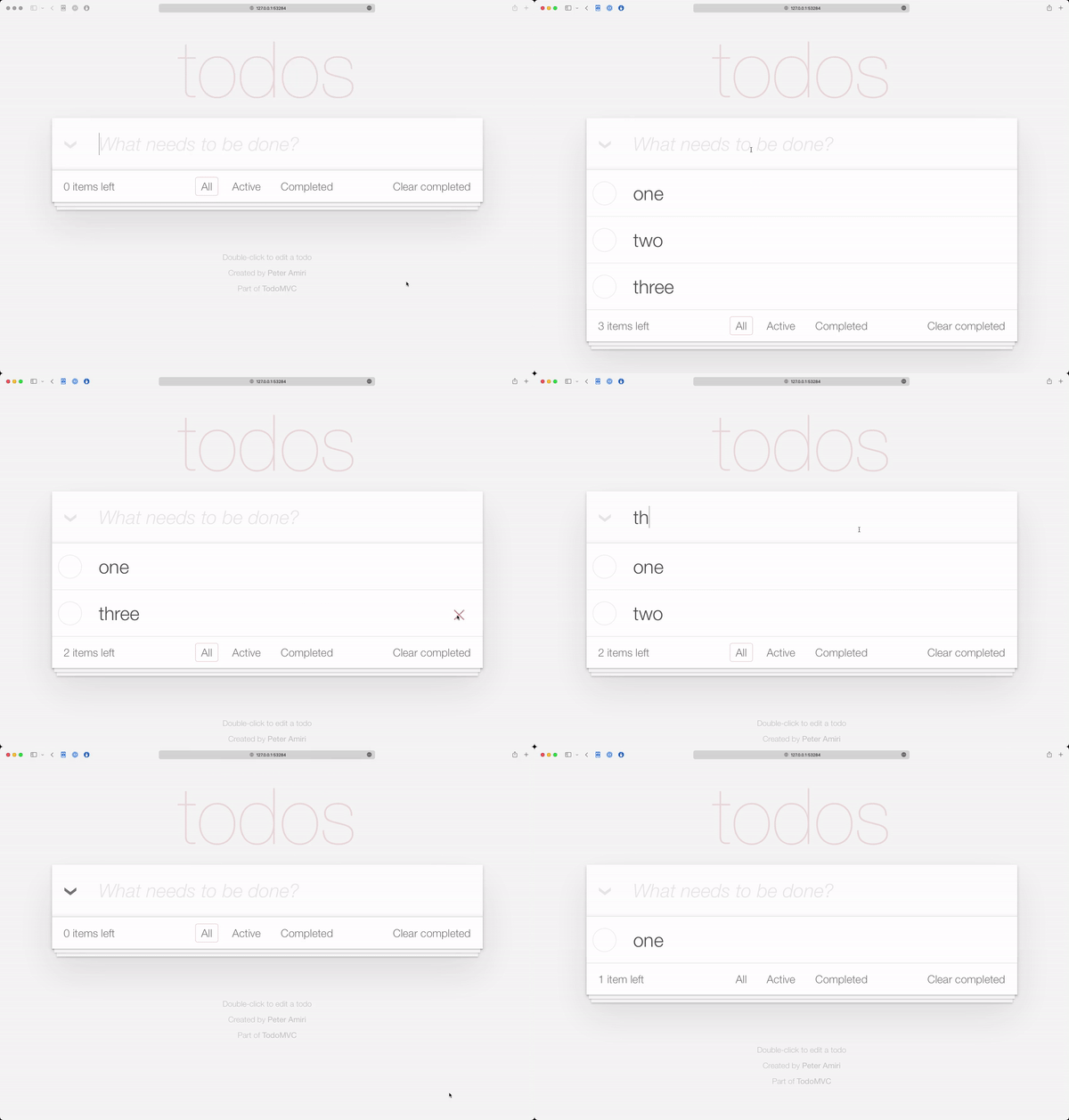
So if you want to run the app locally, you’ll need to have Commandbox installed and the CFWHeels CLI commands for CommandBox installed as well. With those two items taken care of, launch a CommandBox and issue the following commands.
wheels g app name=todo datasourceName=todo template=cfwheels-todomvc-htmx --setupH2
package install
server start
Let’s look at those lines and talk about what they do. The first line wheels g app will download the template app from Forgbox.io and create a CFWheels application and name it todo. It also create a H2 database and configures the datasource for you. The next line will install all the dependencies of our app. These include, a few CommandBox modules to make development easier, the CFWheels core framework directory and place it into the wheels folder, and install the H2 drivers into our Lucee server for out application. The last line will start our Lucee server. I’ve also added a setting to automatically run the Database migrations on application startup so the database schema is created.
You can checkout the code on GitHub. Let me know what you think.
EDIT: The Lucee server that starts up will have cfwheels set as its admin password.
Comments